
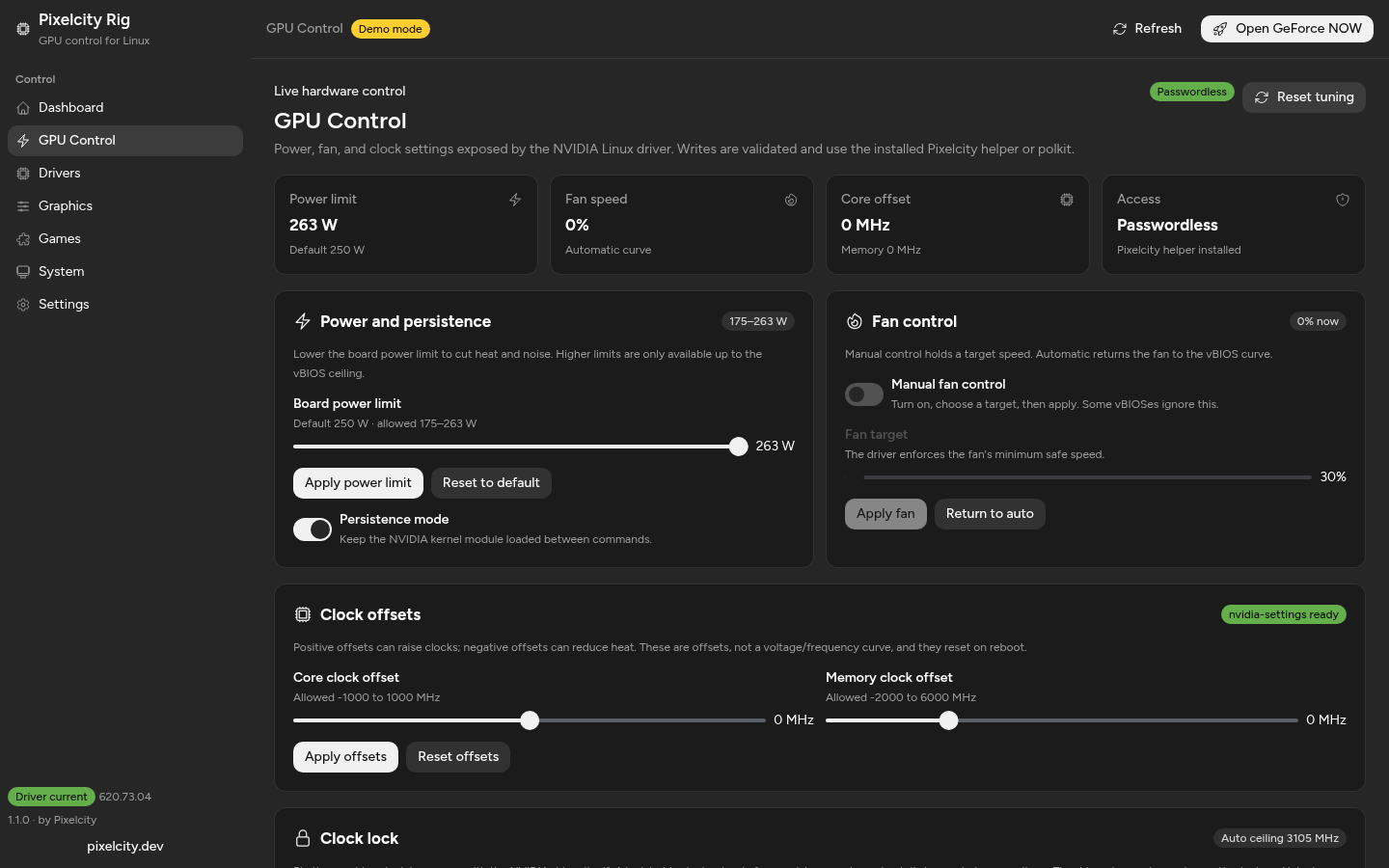
Board power limit
Move the limit inside the vBIOS range, reset to the default, and keep persistence mode on. Lower limits trade peak frame rate for heat and noise.
NVIDIA control for Linux · v1.1.0
Live telemetry, real power and clock control, and MangoHud tuning in one native app. No account. No analytics. No daemon watching you in the background.
Hardware control
Every switch maps to nvidia-smi or nvidia-settings. Writes are validated in Rust, sent through a narrow helper, and re-read from the GPU so the screen cannot drift from reality.
Move the limit inside the vBIOS range, reset to the default, and keep persistence mode on. Lower limits trade peak frame rate for heat and noise.
Core and memory offsets through nvidia-settings, with explicit ranges and a reset. These are offsets, not a voltage curve — and the app says so.
Pin the graphics clock between a minimum and maximum with the NVIDIA driver. Hold steady clocks for consistency, or lower the ceiling to cut heat.
Set a manual fan target with the driver’s minimum enforced, or return to the vBIOS curve in one click. Unsupported vBIOSes fail visibly, not silently.
Build a managed overlay config with detail levels, a frame limit and VSync, then copy the exact Steam launch options. No Steam files are edited behind your back.
The optional helper is one root-owned script and one sudoers rule for one user. It accepts nine validated operations — never arbitrary sudo.
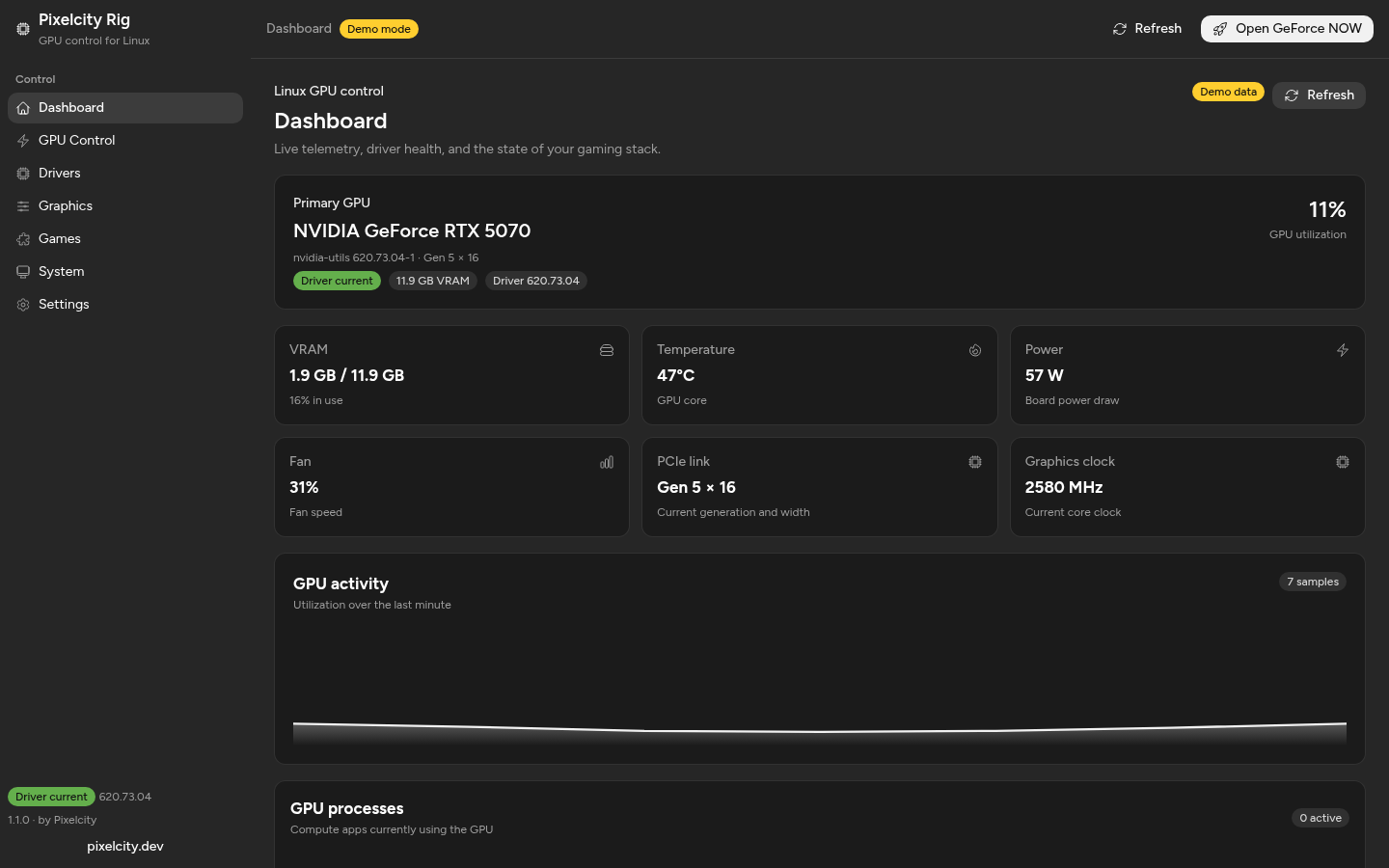
Live telemetry
A Rust sampler reads nvidia-smi on a fixed cadence and pushes each reading to the window as a Tauri event. The interface renders what arrives instead of running its own polling loop.
gpu-live · 1 000 ms
The sampler owns the cadence. The frontend subscribes and cannot create overlapping timers or duplicate nvidia-smi processes.
Utilization, power and temperature history stays at one minute at the default cadence. Older samples are dropped, not accumulated.
Minimize the window and the backend stops sampling. Bring it back and the stream resumes with a fresh reading.
Telemetry never leaves the machine. There is no cloud dashboard, account sync or background upload.
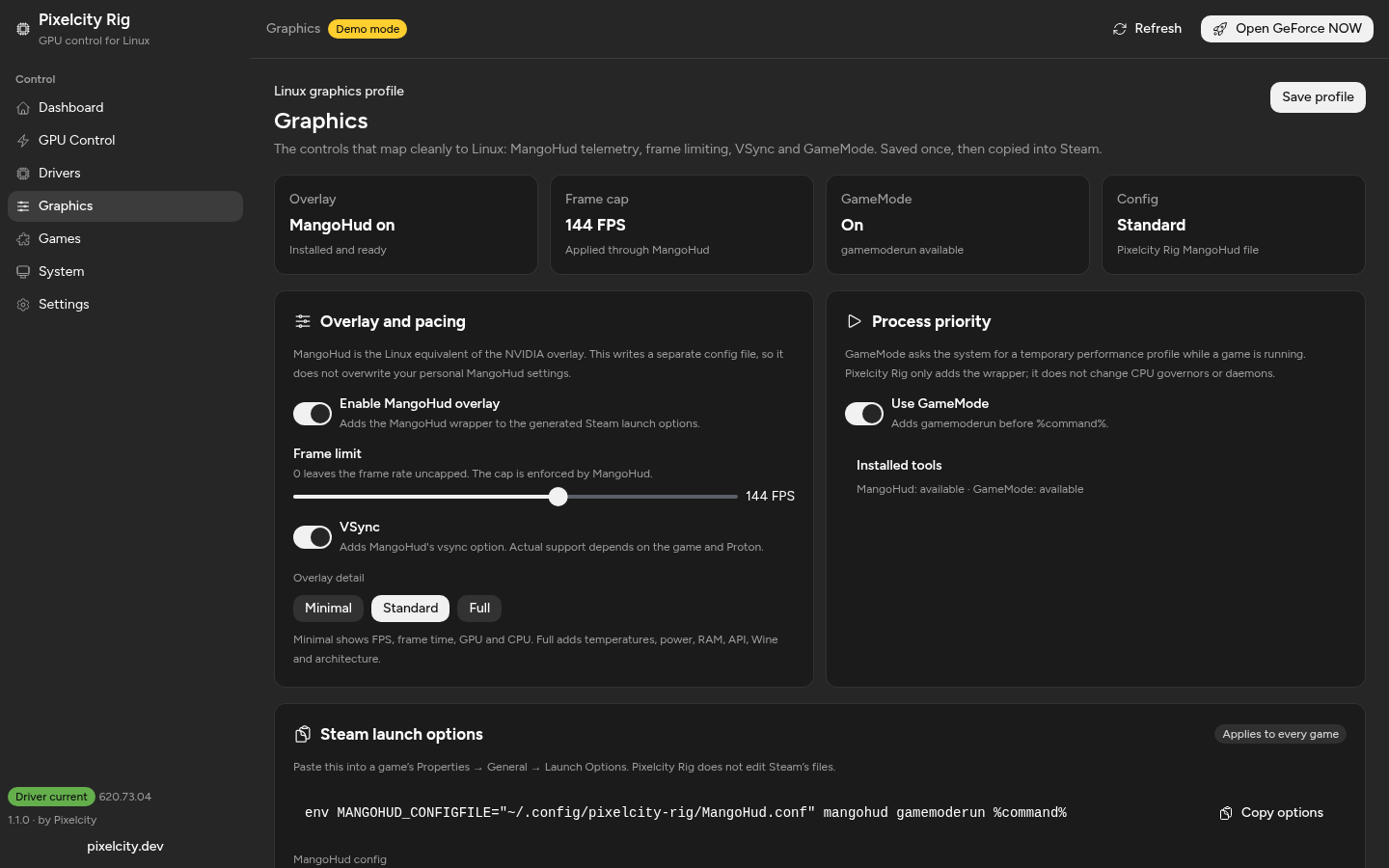
Graphics profile
Choose overlay detail, a frame limit, VSync and GameMode. Pixelcity Rig writes the config and the launch string, then gets out of the way.
env MANGOHUD_CONFIGFILE=… mangohud gamemoderun %command%
The control page
Power, fan and clock values are range-checked before they reach the driver. After a change, the app re-reads the GPU instead of trusting the value it just sent.
Privacy by construction
Pixelcity Rig is a local utility, not a service. There is no login, no device fingerprint, no usage analytics and no remote command channel. Your GPU data stays on your machine.
Downloads
Builds are produced from the public repository and hosted here. The AppImage is the simplest path; deb and rpm are there for package-managed systems.
One executable, no installation, no root. Extract and run, or keep it in ~/.local/bin.
Pixelcity-Rig-1.1.0-x86_64.AppImage Download AppImage Debian · UbuntuInstalls the desktop entry, icon and binary through your package manager.
pixelcity-rig_1.1.0_amd64.deb Download deb → Fedora · openSUSEFor RPM-based distributions that prefer a managed system package.
pixelcity-rig-1.1.0-1.x86_64.rpm Download rpm →First run
nvidia-utils supplies nvidia-smi. nvidia-settings is optional and only needed for fan and offset controls.
sudo pacman -S --needed nvidia-utils nvidia-settings
Mark it executable and launch. Nothing is installed system-wide.
chmod +x Pixelcity-Rig-1.1.0-x86_64.AppImage && ./Pixelcity-Rig-1.1.0-x86_64.AppImage
The Graphics page builds the profile; those two packages render it at launch time.
sudo pacman -S --needed mangohud gamemode
Compare the installed driver with NVIDIA’s latest Linux release, scan every Steam library folder, and read kernel, firmware, IOMMU, TPM and CUDA facts without a separate tool.
NVIDIA App is proprietary Windows software. DLSS overrides, RTX HDR, ShadowPlay, per-game driver profiles and voltage curves are not exposed by the public Linux driver. Rig names them as unavailable instead of shipping dead switches.